Quick Summary
License verification is a Google Play security feature that verifies whether an app was purchased legitimately. Lucky Patcher permanently enables verification in just a few steps. Root access is required for best results. The entire process takes under 5 minutes and works on multiple offline apps and paid games.
What is License Verification on Android?
License verification is a built-in Google Play protection system. Every time you unlock a paid app, it silently attaches to Google Play servers to confirm that the app was legitimately purchased with your account. If the check fails, the app either closes or shows an error.
This system exists to prevent piracy — but it also causes problems for users who have changed their devices, lost their Google accounts, or want full offline access to the apps they use regularly. Lucky Patcher bypasses this check entirely, so the app runs without any verification.
How to Remove License Verification from Android Apps
Enforced verification from Android apps is generally performed using a tool like Lucky Patcher, which patches the app and Games to bypass Google Play checks. Usually, this requires root access, although non-root methods exist. The process involves selecting the app, choosing Remove License Verification, and creating Custom APK Files, though it may not work on all apps. This app is very easy to use, especially for beginners.
You can use this on your Android mobile, but remember it must be rooted.
How To Remove License Verification With Lucky Patcher :
Requirements:
- Rooted Android device
- Lucky Patcher v11.9.7
- Target app installed
- 100MB free storage
Step 1:-
First, you root your Android mobile. Rooting your Android device is the most important first step in this process. You will find many root tutorials online. Look it up on YouTube. It will vary by device, so search for a tutorial for your device.
Step 2:-
Download Lucky Patcher APP from our website and install it on your Android device.
Step 3:-
Open the Lucky Patcher Android app. After opening Lucky Patcher, you will see that the app loads all the apps installed on your device.
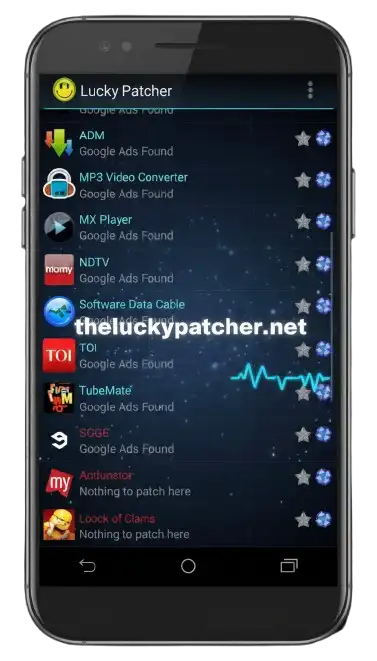
Now select the app that you want to remove license verification.
Step 4:-
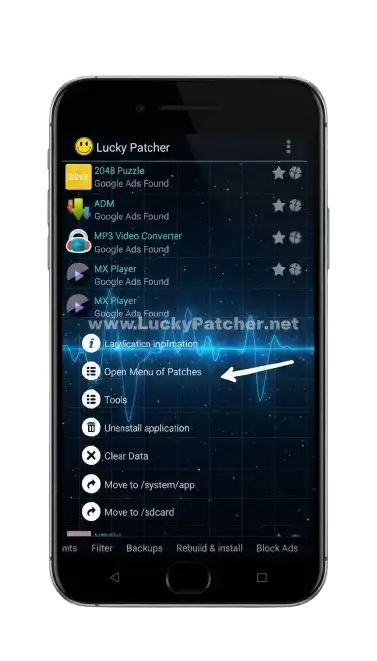
You will see a menu with different options. Now select the “Open menu of patches” to continue.
Step 5:-
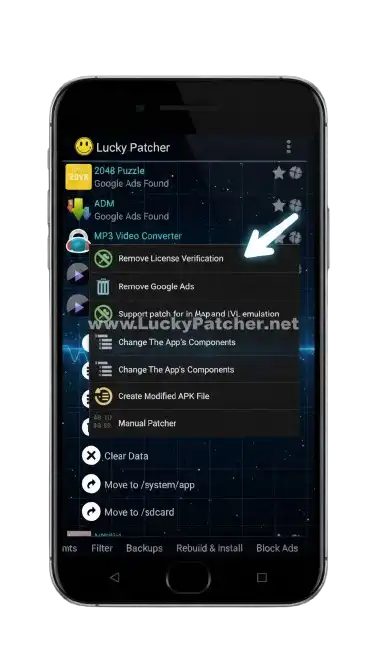
On that menu, press the button “Remove License Verification”
Now you will see another menu with different options for removing license verification.
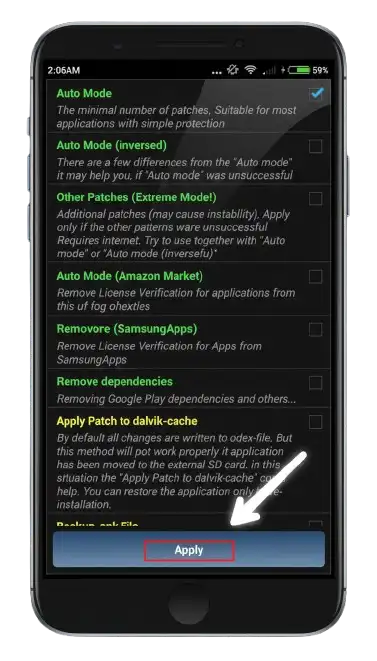
Now press the apply button to patch the app.
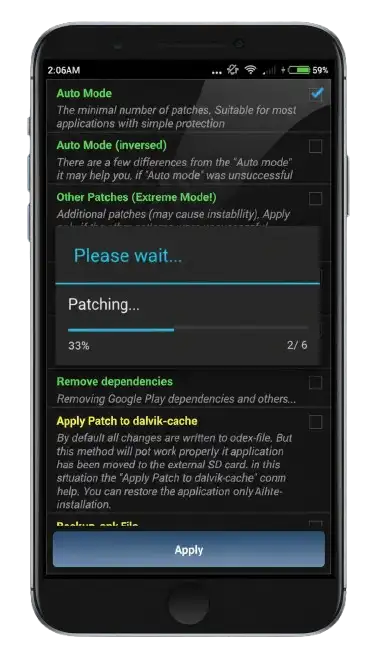
Wait for a while to get the results.
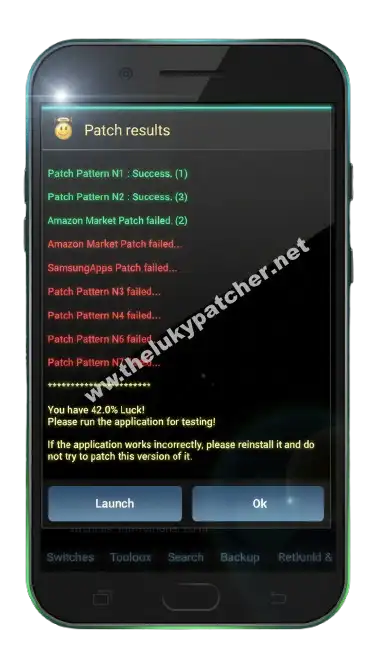
You should now see successful results along with detailed information. The process has been completed, and the license verification for the selected Android app or game has been removed.
Apps and Games — What Works and What Does Not
| Works | Does Not Work |
|---|---|
| Offline paid games | Online multiplayer games |
| Paid productivity apps | Netflix, Spotify, YouTube |
| Offline tools and utilities | Banking and payment apps |
| Older Android games |
Final Verdict
Removing license verification is very easy with Lucky Patcher. Follow the steps above carefully if you want bonus features on your Android device. If you have any issues, get help from the Lucky Patcher society.